

 See My Latest Article on HelloNation
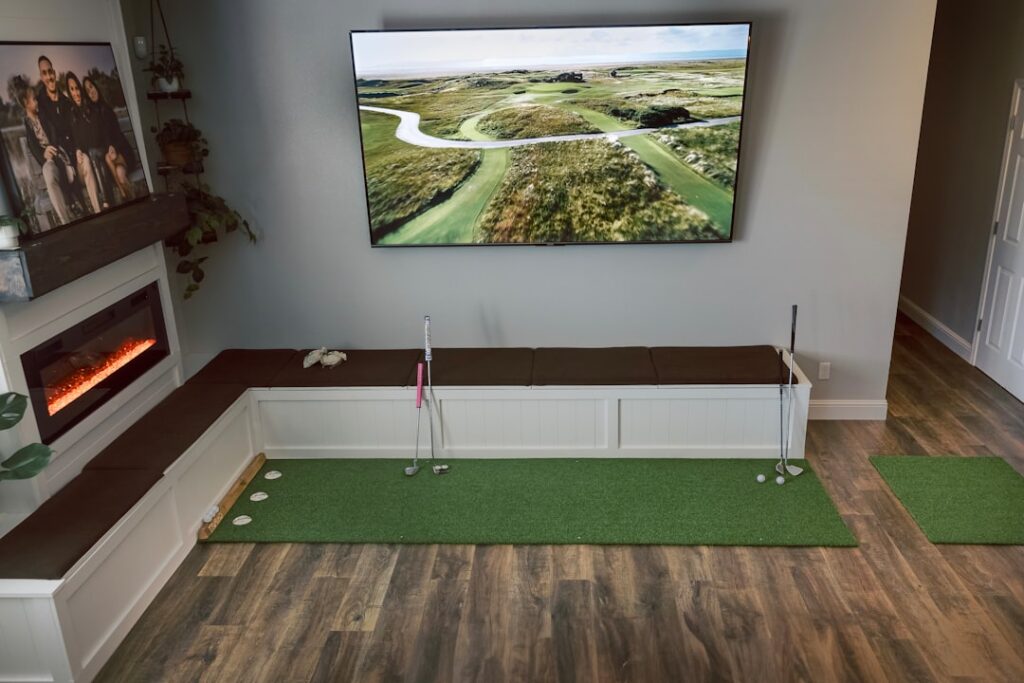
What Is a Golf Simulator and How Does It Work?
A golf simulator is a digital system that allows users to practice or play golf indoors by replicating real-world golf experiences through sensors, cameras, a hitting mat, and simulation software. Golfers use real clubs and balls, hitting them into a screen or net, while the simulator tracks shot data and displays a virtual ball flight on a screen.
Golf simulators combine technology and sporting equipment to create an immersive experience, providing feedback on swing speed, ball trajectory, spin, and more. For residents of Shakopee, these indoor setups make it possible to play golf year-round, regardless of Minnesota’s winters or rainy weather.
Why Consider Using a Golf Simulator at Home?
Golf simulators can provide local households with practical ways to practice and stay connected to the game without leaving home.
- Reliable, weather-proof practice all year
- Saves travel time to distant outdoor courses
- Useful for households with limited yard space
- Supports individual practice or family recreation
- Helpful for improving consistency by reviewing swing data and replaying shots
For many in Shakopee, installing a simulator is a response to local climate patterns and the seasonal unpredictability that affects golf course accessibility.
What Makes an Effective Golf Simulator Setup for Beginners?
Effective beginner setups balance affordability, available space, and ease of use. The main components typically include:
- A hitting mat (simulates real turf)
- Net or impact screen (catches golf balls safely)
- Launch monitor or sensors (tracks shot data)
- Computer or projector (displays simulation software)
Residents often use spare rooms, basements, or garages for their setups—spaces that allow for a full swing without risk to walls or fixtures. It’s wise to ensure sturdy flooring and leave enough headroom, especially since winter boots and coats may come into play while moving gear in and out.
Which Features Should Beginners Focus On?
For those new to indoor golf, key features should be simple to set up and easy to understand. Focus on:
- Accurate ball tracking (for meaningful practice)
- Straightforward user interface
- Reliable safety net or impact screen
- Portable or compact design if space is shared with other household activities
Some systems provide detailed analytics like club path and launch angle, but beginners may find basic shot tracking and clear visual feedback most immediately helpful.
What Should Households Know About Space and Safety?
The right space supports both safety and play experience. Most systems require a minimum of 10-12 feet of depth and 8-9 feet of ceiling clearance, depending on club length and golfer height. Garages or finished basements are often used for these setups in the area.
Safety tips include:
- Avoid low-hanging light fixtures and ceiling fans
- Use heavier-duty nets/screens to protect drywall or windows
- Clear nearby shelves or breakables before play
- Always account for the full arc of a swing—including follow-through

Parents in Shakopee may want to establish clear rules about simulator use for younger children or guests who are new to golf equipment.
Do Golf Simulators Accurately Reflect Real-World Golf?
Many beginners wonder if playing on a simulator feels “real.” Today’s systems use advanced sensors and ball-tracking technology, providing a playing experience that closely mimics real golf, especially for short iron and wedge shots. Differences can show up in putting and rough/chipping scenarios, but for full swings and practice, simulators deliver most of the feel and feedback a driving range offers.
Golfers in the community often use simulators primarily for swing practice and game improvement, rather than expecting a perfect reproduction of every course nuance.
What Are Common Misconceptions About Golf Simulators?
A few common misunderstandings can cause frustration:
- Simulators are not just video games; they track physical swings with real balls and clubs.
- You don’t always need a massive dedicated room—many local homes fit a setup into a garage or multi-use room.
- Skill level can dictate what system features matter most; it’s not always necessary to invest in the most advanced model right away.
- Simulators can be useful even for casual or beginner golfers, not just for experienced players.
How Can Local Weather and Seasonal Changes Affect Simulator Use?
The ability to practice golf indoors is particularly valued in Shakopee due to snowy winters and wet shoulder seasons. A well-chosen simulator can keep golfers active when local courses are closed or the outdoors aren’t practical for play. Humidity and temperature swings can affect electronics and mats, so storing equipment in climate-stable areas is a good idea.
Throughout late fall, winter, and early spring, golf simulators see steady use in basements and garages as residents look for ways to stay active indoors. Carefully arranging and maintaining an indoor setup can cut down on wear and tear from repeated garage transitions during freeze-thaw cycles.
How Can Beginners Make the Most Out of a Simulator?
Getting started is easier with realistic expectations. Beginners in the area often benefit from set routines—such as focused short game practice during winter months, followed by swing analysis and full-round play as skills improve. Recording swings with a smartphone for progress review, inviting friends or family for games, and adjusting for local climate conditions all help make simulator use enjoyable and sustainable.